XinsHosting Logo
  • Home (current)
  • Hosting
    Minecraft Hosting Hytale Hosting Palworld Hosting VPS WebHosting Register Domain Transfer Domain Discord Bot Hosting
  • Support
    Knowledgebase Ticket Discord
  • Over
    Contact Terms of service

  • Account
    Account

  Categories

1
Hytale
0
Minecraft Plugins
6
Minecraft Server

  Categories

  Tag Cloud

Custom IP DNS Domain File Files FileZilla flat flat world FTP FTP Access Minecraft hostname Minecraft SRV plat platte wereld play. WinSCP

  Support

  My Support Tickets   Announcements   Knowledgebase   Downloads   Network Status   Open Ticket

Hytale Server Setup


Before the Hytale Server works, a few things need to be configured in the control panel (https://minecraft-panel.nl). These steps are described below.

  1. Start the Hytale serve;
  2. A prompt will appear with an authorization code; click on the top link and log in with your Hytale account. The server will then automatically continue starting up;
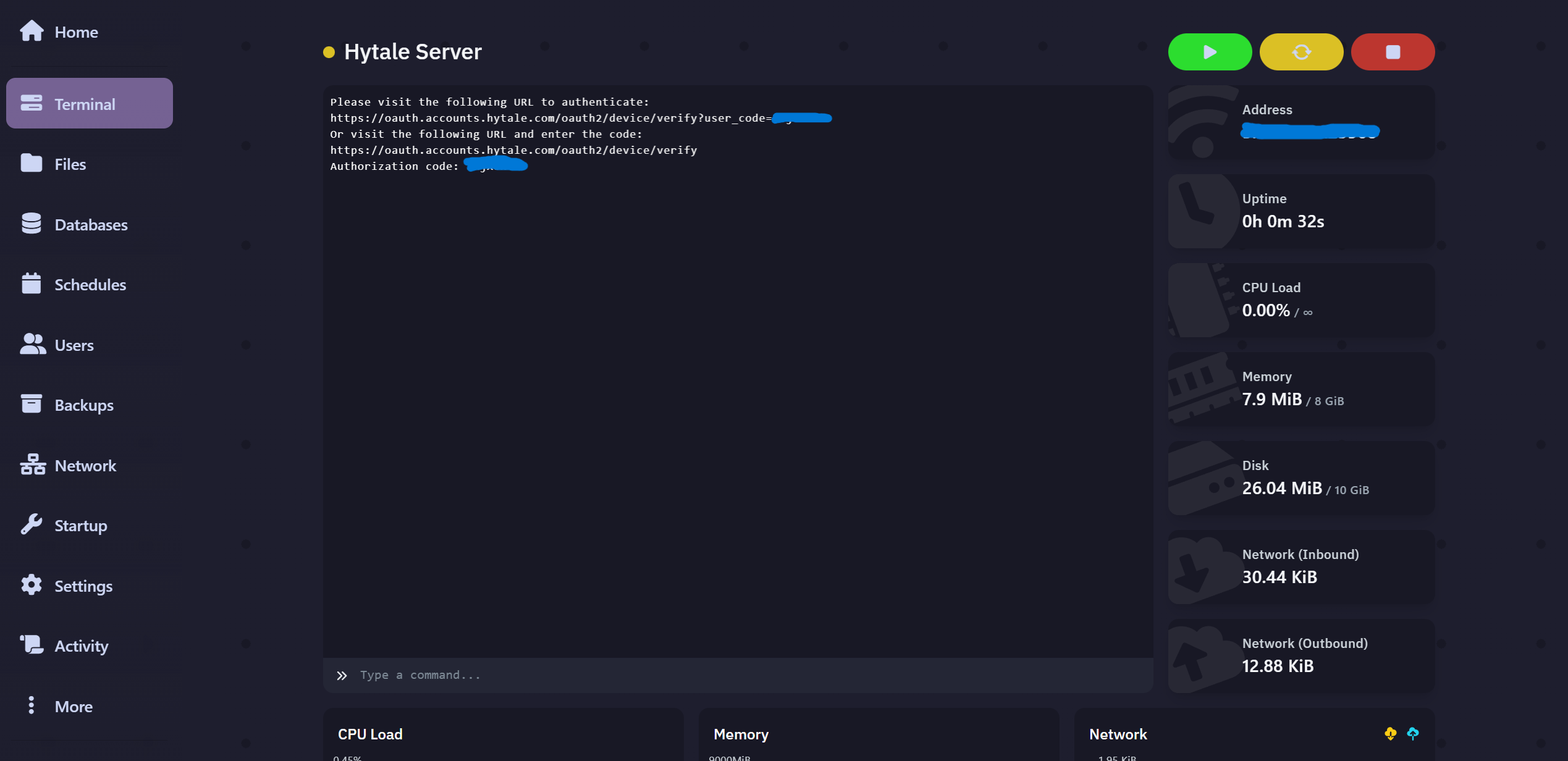
  3. Once the server has started, you will need to authorize again. You can do this with the command: auth login device. After this, follow the same process as the previous step (step 2). Click the link and verify. You will then receive a notification regarding saving the "Credentials.";

    WARNING: Credentials stored in memory only - they will be lost on restart!
    To persist credentials, run: /auth persistence <type>
    Available types: Memory, Encrypted​


  4. Once you are authorized, we need to save the authorization token locally on the server. This ensures you don't have to perform this step every time the server starts. This can be done with the command: auth persistence Encrypted;

    [2026/01/15 18:03:57 INFO] [CommandManager] Console executed command: auth persistence Encrypted
    >....[2026/01/15 18:03:57 INFO] [ServerAuthManager] Swapped credential store to: EncryptedAuthCredentialStoreProvider
    Credential storage changed to: Encrypted​


After this, the server is ready and you can play on it. Have fun playing!


Was this answer helpful?

« Back

  Tag Cloud

Custom IP DNS Domain File Files FileZilla flat flat world FTP FTP Access Minecraft hostname Minecraft SRV plat platte wereld play. WinSCP

  Support

  My Support Tickets   Announcements   Knowledgebase   Downloads   Network Status   Open Ticket
XinsHosting

XinsHosting offers cheap and powerfull hosting services. By providing excellent support and modern hardware our customers are able to use our services to the fullest extent.

Information
  • Discord Server
  • info@xinshosting.com
  • KvK: 76534952
  • BTW Nr: NL003092168B55
  • Terms of service
Hosting
  • Minecraft SSD Hosting
  • Hytale Hosting
  • WebHosting
  • VPS Hosting

Copyright © 2021 - 2026 All Rights Reserved by XinsHosting


Loading...
Loading...
Choose language
Nederlands
English

Generate Password

Please enter a number between 8 and 64 for the password length